Calendar 🟡 PREVIEW - Scheduling
Your personal scheduling assistant
Overview
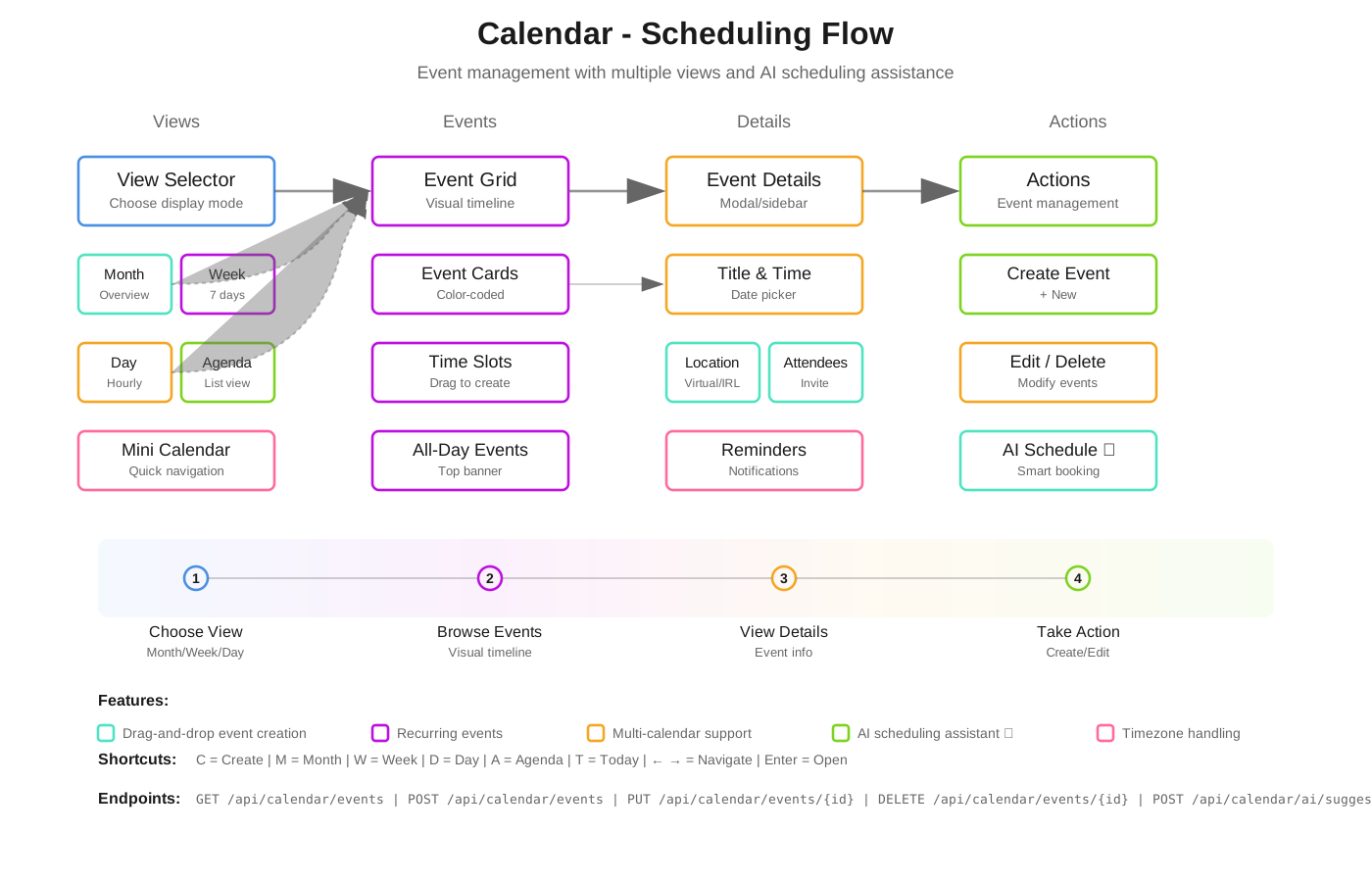
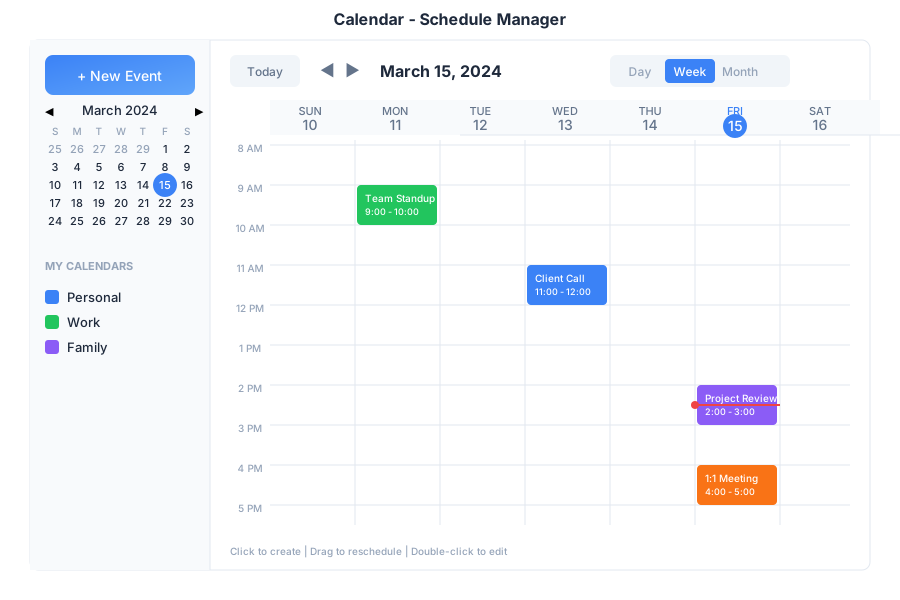
Calendar is your scheduling hub in General Bots Suite. Create events, manage appointments, schedule meetings, and let the AI help you find the perfect time. Calendar syncs with your other apps so you never miss an important date.
Features
Views
| View | Description |
|---|---|
| Day | Hourly breakdown of single day |
| Week | 7-day overview |
| Month | Full month grid |
| Agenda | List of upcoming events |
Calendars
| Calendar | Icon | Use For |
|---|---|---|
| Personal | 🟢 | Private appointments |
| Work | 🔵 | Professional meetings |
| Team | 🟣 | Shared team events |
| Holidays | 🔴 | Public holidays |
Event Types
| Type | Icon | Description |
|---|---|---|
| Meeting | 👥 | Group meetings |
| Call | 📞 | Phone/video calls |
| Reminder | 🔔 | Personal reminders |
| All-Day | 📅 | Full day events |
| Recurring | 🔄 | Repeating events |
Keyboard Shortcuts
| Shortcut | Action |
|---|---|
C | Create new event |
T | Go to today |
D | Day view |
W | Week view |
M | Month view |
← / → | Previous / Next period |
Delete | Delete selected event |
Enter | Open event details |
Scheduling via Chat
Creating an Event
Checking Your Schedule
Finding Available Time
Rescheduling Events
Setting Reminders
API Endpoints
| Endpoint | Method | Description |
|---|---|---|
/api/calendar/events | GET | List events |
/api/calendar/events | POST | Create event |
/api/calendar/events/:id | GET | Get event details |
/api/calendar/events/:id | PATCH | Update event |
/api/calendar/events/:id | DELETE | Delete event |
/api/calendar/availability | GET | Check free/busy |
Query Parameters
| Parameter | Values | Default |
|---|---|---|
start | ISO date | Today |
end | ISO date | +30 days |
calendar | Calendar name | All |
view | day, week, month | month |
Create Event Request
{
    "title": "Team Meeting",
    "start": "2025-05-16T14:00:00Z",
    "end": "2025-05-16T15:00:00Z",
    "calendar": "work",
    "attendees": ["sarah@company.com"],
    "location": "Conference Room A",
    "reminder": 15,
    "recurrence": null
}
Event Response
{
    "id": "evt-123",
    "title": "Team Meeting",
    "start": "2025-05-16T14:00:00Z",
    "end": "2025-05-16T15:00:00Z",
    "calendar": "work",
    "attendees": [
        {
            "email": "sarah@company.com",
            "status": "accepted"
        }
    ],
    "location": "Conference Room A",
    "reminder": 15,
    "created": "2025-05-15T10:30:00Z"
}
Syncing with a Calendar Client (CalDAV)
Calendar clients that speak CalDAV (Thunderbird, Apple Calendar, DAVx5 on Android) can read and write the calendars of a bot:
| Setting | Value |
|---|---|
| Server URL | https://<host>/.well-known/caldav (redirects to /caldav) |
| Username | Your account address (the value is not checked against the token) |
| Password | A GeneralBots token for your account |
| Authentication | Basic |
Supported operations: discovery (PROPFIND), event queries by time range and
by href (REPORT with calendar-query / calendar-multiget), and reading,
writing and deleting individual events (GET, PUT, DELETE on
/caldav/calendars/<calendar>/<event>.ics).
Calendar properties such as display name and colour are not editable through
the protocol, so PROPPATCH is answered with 403, which calendar clients
treat as “use the server’s value”.
Storage and Scope
Every calendar and event row is written inside a tenant scope. The calendars
and calendar_events tables each declare three scope columns, and all three are
NOT NULL without a default:
| Column | Meaning |
|---|---|
org_id | Owning organization |
bot_id | Default bot of the branch |
branch_id | Branch derived from the caller’s token |
Requests resolve that scope from the Authorization header: the branch comes
from the server-minted token claim, with a fallback to the user-to-organization
binding; the organization is the branch’s owning tenant, and the bot is the
branch’s default bot. Anonymous callers fall back to the global (nil) scope.
All four writers — the desktop save form, the REST API, BOOK / BOOK MEETING
and CalDAV — write through that same scope, against a single table definition
held in botschema. When a write fails, the caller receives an error rather
than a success message: a booking is only confirmed after the row is stored.
Integration with Tasks
Tasks with due dates automatically appear on your calendar. When you complete a task, it’s marked as done on the calendar too.
Troubleshooting
Events Not Syncing
- Refresh the calendar
- Check internet connection
- Verify calendar is enabled in sidebar
- Wait a few minutes for sync
- In an external client, confirm the server URL is
/.well-known/caldavand the password is a GeneralBots token
Can’t Create Events
- Verify you have write access to the calendar
- Check that start time is before end time
- Ensure date is not in the past
Missing Invitations
- Check spam/junk folder in email
- Verify attendee email addresses
- Check notification settings
See Also
- Suite Manual - Complete user guide
- Tasks App - Task integration
- Meet App - Video meetings
- Calendar API - API reference