HR 🟡 PREVIEW - Human Resources
Employee management & payroll
Overview
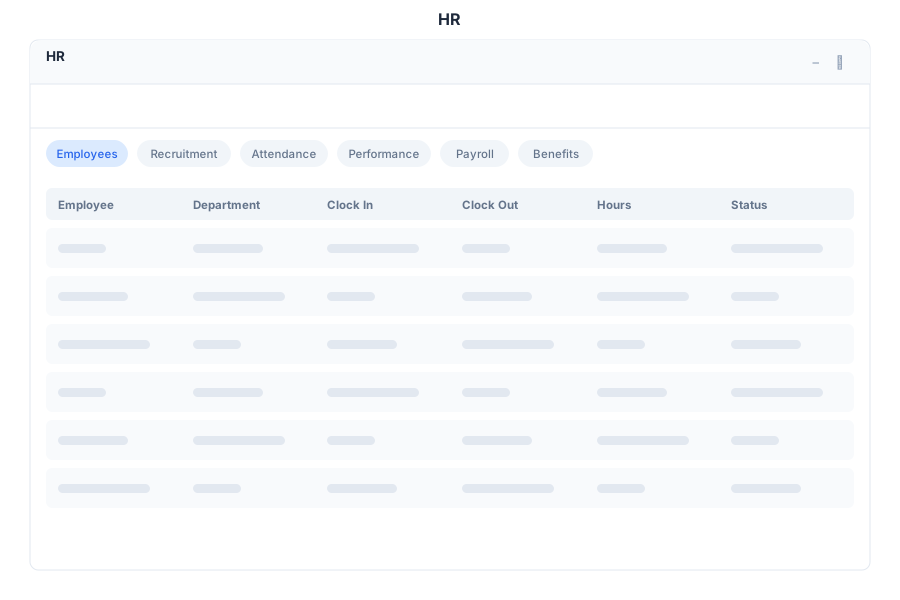
HR is the human resources management module of General Bots Suite. Manage the employee lifecycle from recruitment to performance reviews, track attendance, handle time-off requests, and maintain a complete employee directory.
Features
Employee Directory
Maintain a searchable directory of all employees:
- Profiles — Full employee records with photo, contact info, and position
- Organizational Chart — Visual reporting structure
- Search — Find employees by name, department, or role
- Onboarding — Track new hire onboarding progress
Employee Record Fields:
| Field | Description |
|---|---|
| Name | Full legal name |
| Work email address | |
| Phone | Contact phone number |
| Department | Assigned department |
| Position | Job title and level |
| Manager | Direct supervisor |
| Start Date | Employment start date |
| Status | Active, On Leave, Terminated |
Recruitment
Manage job openings and candidates:
- Job Postings — Create and publish open positions
- Candidates — Track applicants through the pipeline
- Pipeline Stages — Screening, Interview, Offer, Hired
- Interview Scheduling — Coordinate interview sessions
- Offer Letters — Generate and send offer documents
Recruitment Pipeline:
| Stage | Description |
|---|---|
| Applied | Candidate submitted application |
| Screening | Initial review of qualifications |
| Interview | Candidate scheduled for interview |
| Offer | Job offer extended |
| Hired | Candidate accepted and onboarded |
| Rejected | Not selected for the position |
Attendance
Track daily attendance and time off:
- Clock In / Out — Record daily work hours
- Overtime — Track hours beyond standard schedule
- Time-Off Requests — Submit and approve leave requests
- Leave Types — Vacation, sick, personal, parental, bereavement
Leave Balances:
| Leave Type | Annual Allowance | Description |
|---|---|---|
| Vacation | 20 days | Paid time off |
| Sick | 10 days | Medical leave |
| Personal | 5 days | Personal matters |
| Parental | 90 days | Parental leave |
| Bereavement | 5 days | Family bereavement |
Performance
Manage employee reviews and goal tracking:
- Reviews — Schedule and complete performance reviews
- Goals — Set and track individual and team goals
- 360 Feedback — Collect feedback from peers and managers
- Rating Scale — Consistent performance rating system
Performance Rating Scale:
| Rating | Label | Description |
|---|---|---|
| 5 | Exceptional | Significantly exceeds expectations |
| 4 | Exceeds | Consistently exceeds expectations |
| 3 | Meets | Meets expectations |
| 2 | Below | Below expectations, improvement needed |
| 1 | Unsatisfactory | Does not meet expectations |
Keyboard Shortcuts
| Shortcut | Action |
|---|---|
N | New employee record |
C | Clock in / Clock out |
T | Submit time-off request |
Escape | Close modal |
/ | Focus search |
Ctrl+P | Print employee profile |
HR via Chat
API Reference
| Endpoint | Method | Description |
|---|---|---|
/api/hr/employees | GET | List employees with filters |
/api/hr/employees | POST | Create new employee record |
/api/hr/employees/:id | GET | Get employee details |
/api/hr/employees/:id | PUT | Update employee record |
/api/hr/employees/:id/terminate | POST | Terminate employee |
/api/hr/departments | GET | List departments |
/api/hr/recruitment/jobs | GET | List job postings |
/api/hr/recruitment/jobs | POST | Create job posting |
/api/hr/recruitment/candidates | GET | List candidates |
/api/hr/recruitment/candidates | POST | Add candidate |
/api/hr/recruitment/candidates/:id/stage | POST | Move candidate to next stage |
/api/hr/attendance/clock-in | POST | Clock in current user |
/api/hr/attendance/clock-out | POST | Clock out current user |
/api/hr/attendance/status | GET | Get current attendance status |
/api/hr/leave | GET | List leave requests |
/api/hr/leave | POST | Submit leave request |
/api/hr/leave/:id/approve | POST | Approve leave request |
/api/hr/leave/:id/reject | POST | Reject leave request |
/api/hr/performance/reviews | GET | List performance reviews |
/api/hr/performance/reviews | POST | Create performance review |
/api/hr/performance/goals | GET | List goals |
/api/hr/performance/goals | POST | Create a goal |