Sheet 🟡 PREVIEW (advanced) - Spreadsheets
AI spreadsheet with desktop-grade features
Preview — advanced. Sheets is functional and close to stable, but is not yet part of the supported surface. It is the most advanced preview app, alongside Mail.
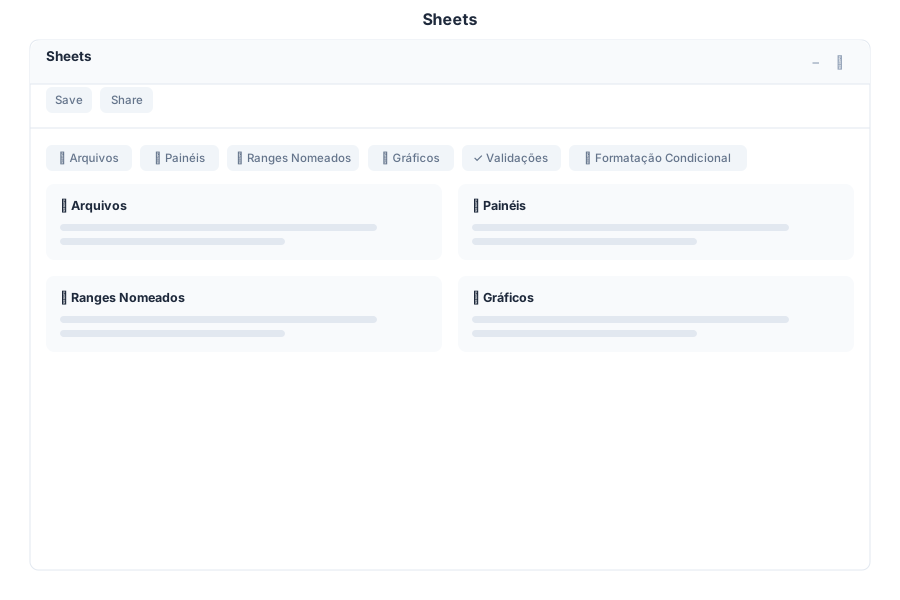
Overview
Sheet is the spreadsheet application in General Bots Suite. It stores workbooks in Drive, imports and exports .xlsx and CSV, evaluates a large worksheet function library server-side, and renders a virtualised grid that scrolls over very large row counts.
Sheet is in beta, and the gap between it and a desktop spreadsheet is currently wide. The tables below mark each capability honestly:
- Available — implemented and usable today.
- Partial — present but incomplete or unreliable; the note says how.
- Planned — modelled, or exposed in the API, but not yet functional end to end.
The work to close the gap is tracked in Sheet Parity Plan. Read that page before relying on Sheet for a workbook you cannot afford to lose.
Features
Cells
| Action | Status | Notes |
|---|---|---|
| Edit a cell | Available | Double-click, F2, or type over the selection |
| A1-style references | Available | A1, A1:C10 |
| Number, currency, date and percentage formats | Available | Format codes are read from .xlsx and applied server-side to the display value (R$ 1.234,50 renders correctly) |
| Merge cells | Available | The merge button merges the selected range; unmerge supported; merged regions render with the anchor spanning |
| Resize rows and columns | Available | Imported widths and heights render; drag the column-header or row-gutter edge to resize, persisted via /api/sheet/resize |
| Range selection | Available | Drag, Shift+click extend, Ctrl+A, row/column via header clicks; Ctrl+click / Ctrl+drag accumulate multi-ranges |
Multi-range selection (Ctrl+click) | Available | Ctrl+click toggles a cell, Ctrl+drag sweeps a block, Ctrl+click on a row/column header adds the whole row/column; Esc clears |
| Freeze panes | Available | Freeze top row / first column / both via the toolbar; sticky render |
| Cell comments and notes | Partial | Notes add/edit/clear via right-click; orange marker on noted cells; threaded comments via the sidebar panel |
Formulas
Around 170 worksheet functions are implemented server-side, including the Microsoft 365 dynamic-array family. A representative sample:
| Function | Syntax | Description |
|---|---|---|
| SUM | =SUM(A1:A10) | Sum of a range |
| AVERAGE | =AVERAGE(B1:B5) | Mean of a range |
| COUNT / COUNTA / COUNTBLANK | =COUNTA(C1:C20) | Counting variants |
| IF / IFERROR | =IF(A1>10,"Yes","No") | Conditional logic |
| VLOOKUP / HLOOKUP / XLOOKUP / MATCH / INDEX | =XLOOKUP(A1,D:D,E:E) | Lookups |
| SUMIF / SUMIFS / COUNTIF / COUNTIFS / AVERAGEIFS / MAXIFS / MINIFS | =SUMIFS(C:C,A:A,"Jan") | Criteria aggregation |
| MAX / MIN / MEDIAN / STDEV / PERCENTILE / QUARTILE / RANK | =MEDIAN(A1:A10) | Statistics |
| FILTER / SORT / SORTBY / UNIQUE / SEQUENCE / RANDARRAY | =UNIQUE(A1:A100) | Dynamic arrays |
| HSTACK / VSTACK / TOCOL / TOROW / TAKE / DROP / EXPAND | =VSTACK(A1:A5,C1:C5) | Array shaping |
| LET / LAMBDA / MAP / REDUCE / BYROW / BYCOL / MAKEARRAY | =LET(x,A1,x*2) | Lambda family |
| TEXTSPLIT / TEXTBEFORE / TEXTAFTER / VALUETOTEXT | =TEXTSPLIT(A1,",") | Text 365 |
| GROUPBY / PIVOTBY / SUBTOTAL / AGGREGATE / PERCENTOF | =GROUPBY(A:A,B:B,SUM) | Grouping |
| DATE / YEAR / MONTH / DAY / DATEDIF / HOUR / MINUTE / SECOND | =DATEDIF(A1,B1,"d") | Dates |
| BOT_AI_PROMPT | =BOT_AI_PROMPT("Analyze ", A1) | AI-powered cell evaluation with caching — see AI Sheet Cache |
Current formula limitations
These are real and will bite immediately. Each is tracked in Sheet Parity Plan.
| Limitation | Example | Result today |
|---|---|---|
| Legacy dispatcher upper-cases string literals | =CONCATENATE("Total: ",A1) | TOTAL: 7 — use ="Total: "&A1, which preserves case |
| Cross-sheet refs not satisfied by the single-worksheet evaluator | =Sheet2!A1 | #REF! (parsed and rendered, but not resolved) |
| Recalculation capped at 1000 dependent cells | a large model | cycles logged and skipped; the cap still applies |
Charts
| Type | Status |
|---|---|
| Bar, Line, Pie, Scatter, Area | Partial — charts render as SVG overlays anchored to grid coordinates; data is snapshotted rather than bound to a range |
Filters
| Filter | Status |
|---|---|
| Text contains / equals, number range, date range, empty/non-empty, custom formula | Partial — column-header filter menu with distinct-value checkboxes; matching rows survive, others are hidden client-side |
Sort
| Option | Status |
|---|---|
| Ascending / descending on a range | Available — column-header sort menu (A→Z / Z→A) sorts a multi-cell selection or the populated region; formulas referencing moved cells are not rewritten |
| Multi-column, custom order | Planned |
Import / Export
| Format | Import | Export | Notes |
|---|---|---|---|
| CSV | Available | Available | Exported values are unformatted |
| TSV | Available | Available | — |
| JSON | Available | Available | Internal document shape |
.xlsx | Partial | Partial | Values, formulas, number format codes, cell styles, merged cells, column widths, row heights, frozen panes, hidden rows/columns, defined names, per-sheet protection, tables, autofilter, hyperlinks, images, data validation, conditional formatting (with font/fill fidelity), rich-text runs, comments/notes, print setup, print areas/titles and external links are read. Pivot tables are still dropped from the model — charts and rich text are re-extracted from the raw package, and pivot tables are preserved byte-for-byte on save but not modelled. |
.xls / .xlsb | Partial | — | Cell values, typed cells and formulas are read via calamine; styles, merges, charts and layout are not (BIFF reader exposes values/formulas only). |
| Markdown | — | Available | — |
| — | Available | Real PDF 1.4 export — one page set per worksheet, repeated header row, application/pdf content type | |
| ODS | — | Partial | Emits content XML, not a complete .ods package |
Warning — opening an
.xlsxfrom Drive. The save-back is non-destructive: the original package is preserved and only edited cells are rewritten (issue 8). Features Sheet cannot model are not altered by an edit round-trip.
Keyboard Shortcuts
Implemented today:
| Shortcut | Action |
|---|---|
Enter | Commit and move down |
Tab | Commit and move right |
F2 | Edit the active cell |
Arrow keys | Move the selection |
Ctrl+Z / Ctrl+Y | Undo / redo |
Ctrl+C / Ctrl+V / Ctrl+X | Copy / paste / cut |
Ctrl+D / Ctrl+R | Fill down / fill right |
Delete / Backspace | Clear the selected range |
Ctrl+A | Select all |
Ctrl+Arrow | Jump to the edge of the data |
Ctrl+Home / Ctrl+End | First / last used cell |
Ctrl+PageUp / Ctrl+PageDown | Page the viewport |
Esc | Abandon an edit / clear the selection |
Documented but not yet implemented — tracked in Sheet Parity Plan:
| Shortcut | Action |
|---|---|
Ctrl+Alt+V | Paste Special |
Alt+Enter | Newline inside a cell |
F4 | Cycle $ anchors in a reference |
Ctrl+Space / Shift+Space | Select column / row |
Ctrl+click / Ctrl+drag | Multi-range selection (available — see Cells table) |
Sheet via Chat
The examples below show the intended conversational flow. Chat-driven sheet creation depends on the parity work in Sheet Parity Plan; treat them as the target experience rather than a description of current behaviour.
Creating a Sales Report
Calculating Totals
Generating a Chart
API Endpoints
| Endpoint | Method | Description |
|---|---|---|
/api/sheet/list | GET | List all spreadsheets |
/api/sheet/search | GET | Search spreadsheets |
/api/sheet/load | GET | Load spreadsheet by ID |
/api/sheet/save | POST | Save spreadsheet |
/api/sheet/delete | POST | Delete spreadsheet |
/api/sheet/cell | POST | Update cell value |
/api/sheet/format | POST | Format cells |
/api/sheet/formula | POST | Evaluate spreadsheet formula |
/api/sheet/range | POST | Get range values |
/api/sheet/worksheet-meta | POST | Update worksheet metadata |
/api/sheet/pivot | POST | Create pivot table |
/api/sheet/export | POST | Export spreadsheet |
/api/sheet/share | POST | Share spreadsheet |
/api/sheet/new | GET | Create new blank spreadsheet |
/api/sheet/merge | POST | Merge cells |
/api/sheet/unmerge | POST | Unmerge cells |
/api/sheet/freeze | POST | Freeze panes |
/api/sheet/sort | POST | Sort range |
/api/sheet/filter | POST | Filter data |
/api/sheet/chart | POST | Create chart |
/api/sheet/conditional-format | POST | Apply conditional formatting |
/api/sheet/data-validation | POST | Apply data validation rules |
/api/sheet/ai | POST | Query spreadsheet AI assistant |
/api/sheet/:id | GET | Get spreadsheet by ID |
/api/sheet/:id/ops?since=N | GET | Replay oplog entries after sequence N (collab reconnect recovery) |
/ws/sheet/:sheet_id | GET | WebSocket for collaborative editing |
Create Spreadsheet Request
{
    "title": "Sales Report",
    "sheets": [
        {
            "name": "Revenue",
            "rows": 20,
            "columns": 10,
            "data": {
                "A1": "Month",
                "B1": "Revenue",
                "A2": "Jan",
                "B2": 12400
            }
        }
    ]
}
Cell Update Request
{
    "cells": {
        "B16": "=SUM(B2:B15)",
        "C16": "=AVERAGE(C2:C15)"
    }
}
Spreadsheet Response
{
    "id": "sheet-789",
    "title": "Sales Report",
    "sheets": [
        {
            "name": "Revenue",
            "data": [
                ["Month", "Revenue", "Orders"],
                ["Jan", 12400, 156],
                ["Feb", 15200, 189]
            ],
            "charts": [
                {
                    "id": "chart-001",
                    "type": "bar",
                    "title": "Monthly Revenue",
                    "data_range": "A1:B15"
                }
            ]
        }
    ],
    "created_at": "2025-05-15T09:00:00Z",
    "updated_at": "2025-05-15T11:00:00Z"
}
Configuration
Current grid limits are compiled in, not configurable:
| Limit | Current value | Desktop spreadsheets |
|---|---|---|
| Column limit | 16,384 (XFD) — virtualised headers, cells and scroll; only the visible column window is rendered | 16,384 (XFD) |
| Rows | 1,048,576 (aligned with the desktop standard) | 1,048,576 |
| Recalculated cells per edit | 1,000 (logs and skips cycle members instead of silently truncating) | unlimited |
Canvas rendering of the grid remains the open part of Sheet Parity Plan issue 6.
Troubleshooting
A formula returns #ERROR!
Check it against the limitations table above first — =SUM(A1:A3)+1, =A1&B1, =A1^2 and any nested call return #ERROR! by design of the current evaluator, not because of anything wrong with your sheet. Otherwise:
- Confirm the formula starts with
=. - Confirm the function name is in the implemented set.
- Check for a circular reference.
A number is treated as text
Values typed with thousands separators or currency symbols are stored as text; type the bare number or use a formula to coerce. Formatted display of stored numbers follows the cell’s format code.
Cell formatting is not shown
If a workbook opened from Drive loses its currency/date display, the cell may predate the format engine; re-applying the format from the toolbar refreshes it. Number format codes are applied server-side on load.
A worksheet cannot be reached
All worksheets are reachable through the tab bar (add/switch/delete/rename). If the tab bar does not render, reload the page; old cached pages predate it.
Import lost part of the file
See the import table above for exactly what is dropped. Pivot tables are still not modelled on import (they survive an edit round-trip byte-for-byte but do not render); rich-text runs now import but are not yet rendered in the grid.
Chart is not displayed
Charts are not rendered in the grid yet. The definition is stored and returned by the API.
See Also
- Sheet Parity Plan — current gaps and the plan to close them
- Sheets API — endpoint reference
- Suite Manual — complete user guide
- Drive — file storage for imports
- Chat App — create sheets via chat