Admin 🟡 PREVIEW - Administration Panel
What it is
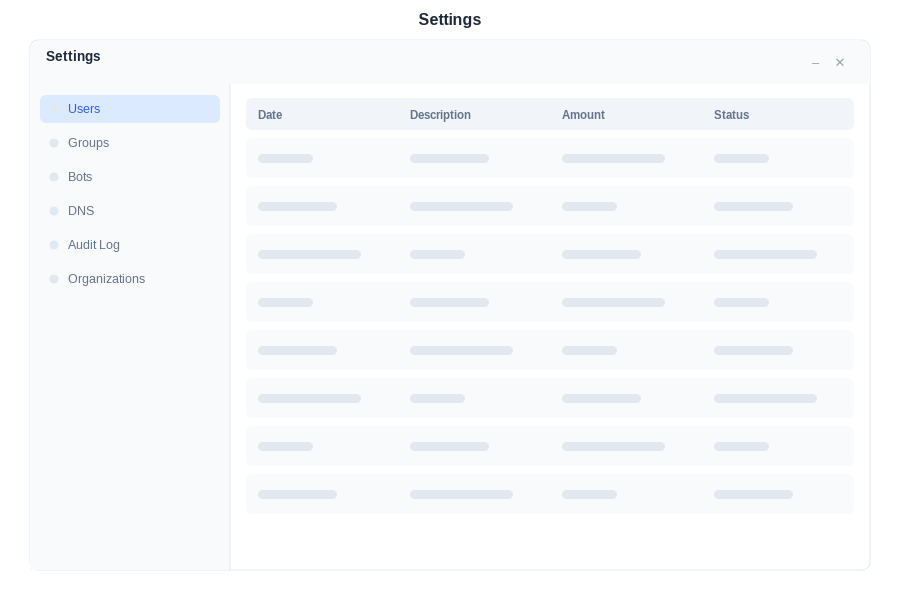
Admin is the administration surface of the suite; since #1295 its old route redirects to Settings → Administration rather than opening a separate window.

Open it
| Task | Where | Label you will see |
|---|---|---|
| Open administration | Settings sidebar | Administration |
| Reach an old bookmark | Previous Admin route | Redirect to /suite/settings/index.html?view=admin |
- Open Settings from the desktop.
- Select Administration in the sidebar.
Do this
| Task | Control | Label you will see |
|---|---|---|
| Manage people | Administration section | Users, Groups |
| Manage bots and domains | Administration section | Bots, DNS |
| Read the trail | Administration section | Audit Log |
| Manage tenancies | Administration section | Organizations |
| Inspect the host | Administration section | System |
The older Admin window manager entry is retargeted to the Settings window, so a link to Admin lands in the same place.
Limits
- There is no separate Admin window: the standalone route is a redirect stub.
- The labels above are the sections that ship in the unified Administration view; no other admin menu is documented here.