Glossary 🟡 BETA
This page defines the terms used in the four guides and points to the generated reference when a keyword's status matters.

- Find the term by its initial below.
- For a BASIC name, open the generated reference to check whether it is registered, a rewrite, a compiler directive or documented only.
- For an app title, open the generated registry.
A
- ADD SUGGESTION — rewrite that sends a suggestion button in chat. Implemented in the messaging keyword crate.
- ADD TOOL — advertised name with no registration; use
USE TOOL. - Auto-bootstrap — the first-run sequence that creates
botserver-stack/and installs the pinned components.
B
- BASIC — the script language for
.basfiles; it runs on Rhai. Verified forms are in the generated reference. - BOOK — a keyword form listed in the generated grammar summary.
- Bot Memory — data scoped to one bot, accessed with
SET BOT MEMORYandGET BOT MEMORY. - Bot Package — the set of
.gbot,.gbdialog,.gbkband.gbdriveprefixes under a workspace in Drive. - Bootstrap — first-run installation and seeding; see Installation.
- BROADCAST TO BOTS — advertised name with no registration; the generated reference lists it as documented only.
C
- Cache — the Valkey component used for active session data and suggestions.
- Collection — a folder under
.gbkb/that holds documents for a bot. - config.csv — key-value configuration inside the bot's
.gbot/folder. - Context — prompt, history and retrieved content assembled for a turn.
- CREATE DRAFT / CREATE TASK — keyword forms listed in the generated grammar summary.
D
- Dialog — a
.basscript containing BASIC statements such asTALKandHEAR. - Drive — the S3-compatible object store that holds bot files.
E
- Embedding — text represented as a vector for similarity search.
- Event handler — BASIC code attached to a trigger; use the keyword forms in the generated reference.
F
- FIND — registered BASIC keyword that searches table data; see the data family.
G
- .gbai — workspace prefix that holds one or more bots in Drive.
- .gbdialog — prefix holding
start.basand tool scripts. - .gbdrive — prefix holding generated files and media.
- .gbkb — prefix holding documents used when the bot answers.
- .gbot — prefix holding
config.csvandPROMPT-{CHANNEL}.md. - .gbtheme — optional UI customization prefix.
- GET — HTTP keyword form; see the http family.
- GET BOT MEMORY / GET USER MEMORY — registered read forms in the data family.
- GraphQL — registered keyword form in the http family.
H
- HEAR — registered keyword that waits for and captures user input.
- HTMX — the library used by the suite for fragment updates without full page reloads.
I
- INSERT — registered keyword that adds table records.
- Intent — the request the assistant infers from the prompt, history and available tools.
K
- Keyword — a BASIC name. Status is registered, alias-of-rewrite, directive or documented-only; check the generated reference.
- Knowledge Base (KB) — the documents under
.gbkb/that a bot can use in an answer.
L
- LLM — the language model that writes the reply; its settings live in Vault.
- LiveKit — the component used by the Meet app.
- llama.cpp — the local inference runtime when a local model is selected.
- Local-first — the stack installs under
botserver-stack/; bot files live in Drive.
M
- MCP — Model Context Protocol; a bot's
.mcp.jsoncan declare tools for an agent turn. - Memory — separate scopes: bot, user and session. The Memory app page describes the user-facing surface.
- Model Routing —
USE MODELselects a model from configuration; see the agent family.
N
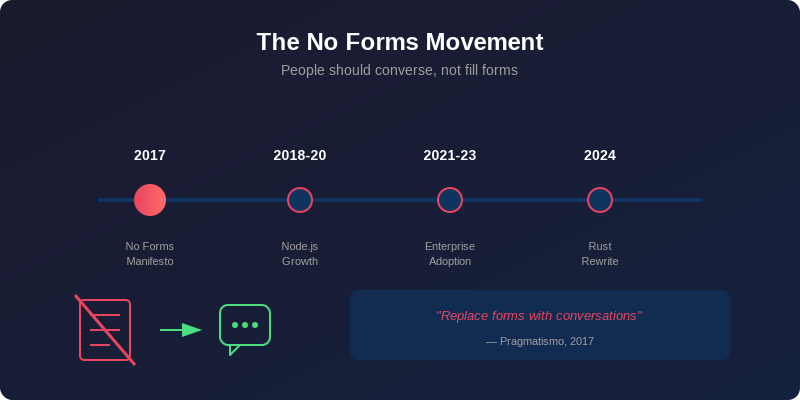
- No Forms — tool inputs can be collected in a conversation. It is not a claim that every product screen has been replaced.
O
- OIDC — OpenID Connect, handled by the directory service.
- ON — the keyword prefix for event handlers; verify the exact form in the generated reference.
P
- Package Manager — the component layer that installs and reloads bot prefixes from Drive.
- PARAM / DESCRIPTION — compiler directives for a tool's inputs and purpose.
- PostgreSQL — the database for users, sessions, messages and structured records.
- POST — registered HTTP keyword form.
Q
- Qdrant — the vector store used by retrieval.
R
- RAG — retrieval of relevant bot documents before the assistant writes an answer; configuration keys live in
botserver/src/core/bot/kb_context/. - Reranking — re-scoring retrieved candidates. It is not implemented in the retrieval path; the configuration sits in an unconnected crate. See Retrieval and RAG.
- Rhai — the scripting engine behind BASIC.
S
- SAVE — registered keyword that writes data to a file or table.
- SEND MAIL — registered keyword in the social and messaging family.
- Session — one user, one bot and one thread; see Sessions and Channels.
- SET / SET BOT MEMORY / SET CONTEXT / SET USER MEMORY — write forms; check each in the generated reference.
- SET SCHEDULE — name listed in the generated grammar summary.
- Stalwart — the mail server component.
- Suite — the workspace UI that hosts Chat, Drive and the other apps.
T
- TALK — registered keyword that writes a message to the user.
- Template — a source bot under
bottemplates/used as a starting point. - Token — a unit of text processed by a language model; context limits are measured in tokens.
- Tool — a
.basfile whosePARAMandDESCRIPTIONdeclarations make it callable by the assistant. - TRANSFER CONVERSATION — advertised name with no registration in the generated reference.
U
- UPDATE — registered keyword that modifies table records.
- USE KB — registered keyword that selects a knowledge collection.
- USE MODEL — registered keyword that selects a model from configuration.
- USE TOOL — registered keyword that makes a tool available to the assistant.
- User Memory — data scoped to one user across sessions.
V
- Vault — the secrets service; the component id is
vaultand onlyVAULT_*variables belong in.env. - Vector — a numeric representation of text used for similarity search.
- Vector Database — a store optimized for vectors; Qdrant is the component used here.
W
- WAIT — keyword form in the generated grammar summary.
- WEBHOOK — keyword form for an HTTP trigger; verify its registered status in the generated reference.
- WebSocket — the real-time chat transport at
/ws.
Z
- Zitadel — the identity service used for users and authentication.
Package Extensions
| Extension | Purpose |
|---|---|
.gbai |
Workspace prefix holding one or more bots |
.gbdialog |
BASIC scripts |
.gbkb |
Knowledge base documents |
.gbot |
Bot configuration and channel prompts |
.gbtheme |
UI customization |
.gbdrive |
Generated files and media |
.bas |
BASIC script file |
Common Confusions
- Do I need containers? No for a basic stack; Incus is needed for agent VMs and terminals. See Container Deployment.
- What database? PostgreSQL, installed by the bootstrap process. Component versions come from
botserver/3rdparty.toml. - Is BASIC really BASIC? It is inspired by BASIC and runs on Rhai. The generated reference is the authority for a keyword's status.
- Can I write another language? Scripts are BASIC; integrations also use the REST API. Generated routes are listed in the REST reference.
- Which apps are supported? Read the status in the app registry; a 🟡 PREVIEW marker is not a support promise.