Vibe — AI Development Environment 🟡 PREVIEW
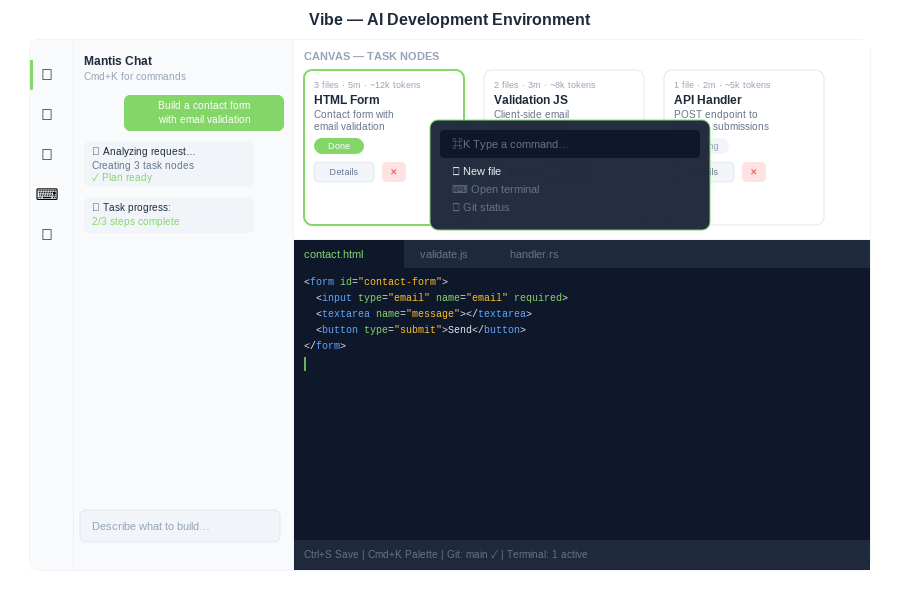

What it is
Vibe is a generative agentic workspace for building and running assistants (registry description for vibe).
Open it
The registry lists vibe as preview-only but auto-pins it on the launcher (launcher_default: true). Turn on Preview mode, click Start and select the Vibe tile; see Find an app.
Do this
| Task | Label you will see |
|---|---|
| Create a project | New Project (Vibe tool window) |
| Use the canvas | Canvas tools, Select, Rectangle, Text, Connector, Fit 100% |
| Graph the project | Knowledge Graph |
| Read metrics | Metrics |
| Add members | Project Members |
| Inspect data and deployment | Loading Database Schema…, Loading Deploy… |
| Browse a published app | ▶ New Session, Go, 📸 Screenshot, Open app ↗ |
- Open Vibe and choose New Project.
- Use the tool windows on the Vibe toolbar — Knowledge Graph, Metrics, Project Members, Canvas tools — for the sub-views.
- For a published app, create a browser session with ▶ New Session and open its preview with Open app ↗.
Limits
- Vibe declares no provision requirement: the workbench (chat, files, deploy) loads without Incus. Only VM-backed project kinds need the VM runtime; botvibe reports
vm-skip: incus binary unavailablefor them. - Preview-only: the registry assigns
vibetoLauncherVisibility::Preview. - There is one Vibe app. Knowledge Graph, Metrics, Members, Deploy, Database and Metering are toolwindow views on its toolbar, not standalone catalogue ids.