Suite Apps 🟡 PREVIEW
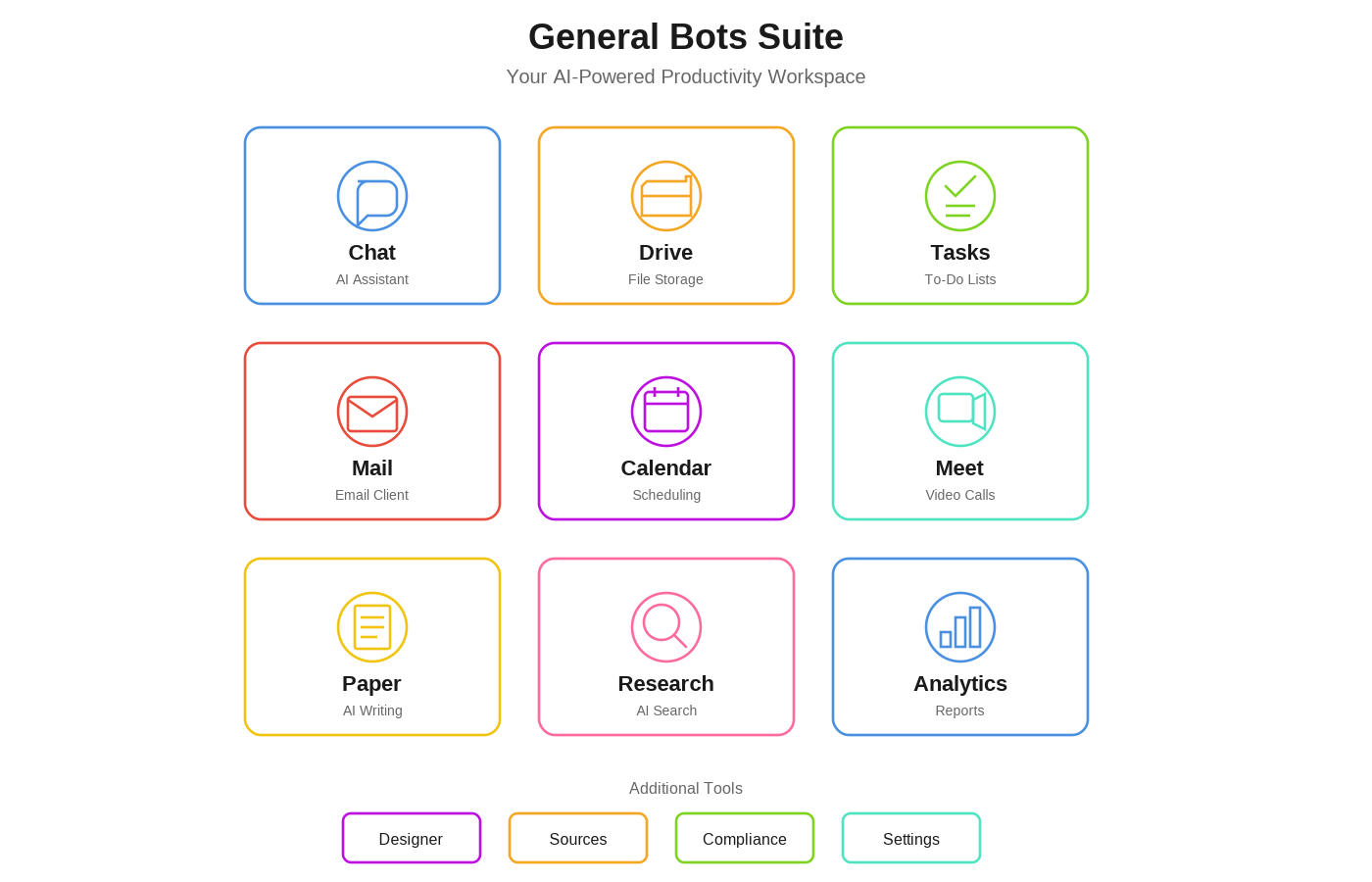
Everything you need, all in one place
What is stable, and what is preview
The suite ships one stable surface and many preview applications. This distinction matters when you decide what to put in front of real users.
Every app page carries its status in the title, so you never have to guess:
| Marker | Meaning | Apps |
|---|---|---|
| 🟢 GA | Supported. Safe to depend on. | Chat, Explorer (Drive) |
| 🟡 PREVIEW (advanced) | Functional and close to stable, but not yet supported. | Mail, Sheets |
| 🟡 PREVIEW — IN TEST | Under active test. Behaviour and interface may change. | Docs, Slides |
| 🟡 PREVIEW | Usable, but not yet supported. | Every other app in the catalog |
Preview applications are installed and working — they are simply withheld from the launcher and the sidebar until you turn on the Preview switch. That switch lives in the left sidebar and is remembered per browser.
The launcher visibility split is generated from the registry: 25 ids are
marked Always, the other 47 are Preview. The current list — and the
AppStatus for each id — is in the generated app registry.
The split lives in botserver/src/apps/registry (launcher_visibility), which the
launchers read; the .product file mirrors it — see
Product configuration for
how to promote or hide an app.
App manifest consistency
Three manifests must stay in sync: the window-manager registry
(botui/ui/suite/js/window-manager/01_registry.js), the product lists in
botserver/.product (apps, preview_apps, hidden_apps), and the hxGet
targets under botui/ui/suite/. Run the checker before editing any of them:
node scripts/check-app-manifest.mjs
It fails on drift (unclassified registered apps, listed ids with no launcher
tile, missing hxGet files, or duplicate classifications) and CI runs it on
every PR that touches .product*, 01_registry.js, suite/*/*.html, or
botserver/src/apps/. Core surfaces (about, admin, settings, auth) are
always available without being listed in apps=.
The stable apps
| App | What It Does |
|---|---|
| 💬 Chat | Talk to your AI assistant |
| 📁 Explorer | Store and organize your files |
| ⚡ Vibe | Build and run agents as a project |
Preview apps worth knowing about
These are the most complete of the preview applications:
| App | What It Does |
|---|---|
| Send and receive email with AI triage | |
| 📊 Sheets | Spreadsheets with formulas, charts, filtering and CSV/XLSX import-export |
| 📅 Calendar | Schedule meetings and events |
| 🎥 Meet | Video calls with your team |
| 📝 Paper | Write documents with AI help |
| ✅ Tasks | Task management with Autotask execution |
| 🔍 Research | Search and discover across web, docs and knowledge bases |
| 🎬 Player | Watch videos and listen to audio |
| ⚙️ Automations | Natural-language scheduled agents |
Quick Access
Keyboard shortcuts to open apps fast:
| Press | Opens |
|---|---|
Alt + 1 |
Chat |
Alt + 2 |
Explorer |
Alt + 3 |
Tasks |
Alt + 4 |
|
Alt + 5 |
Calendar |
Alt + 6 |
Meet |
Tips
- Turn on Preview mode to reach the remaining applications.
- Switch apps quickly — use the app menu or the keyboard shortcuts.
- Stay in one place — all your work is saved automatically.
- Ask for help — the Chat app can help you with any app.
App Guides
Learn more about each app:
- Chat - Talk to your AI assistant
- Drive - Manage your files
- Vibe - Build agents as a project
- Mail - Handle your email
- Sheets - Work with spreadsheets
- Docs - Documents (in test)
- Slides - Presentations (in test)
- Tasks - LLM-powered intelligent execution
- Calendar - Manage your schedule
- Meet - Join video calls
- Player - Play media files
- Paper - Write with AI
- Research - Search smarter
- Analytics - See your data
Coverage
For the full list of applications and which of them are documented, see Suite Apps Status.
Need Help?
Just ask in Chat: "How do I use [app name]?"
Your AI assistant knows all the apps and can guide you step by step.