Introduction to General Bots 🟡 BETA
This page orients a new reader in the Desktop guide and points to the guide that fits the task.

The No Forms Movement
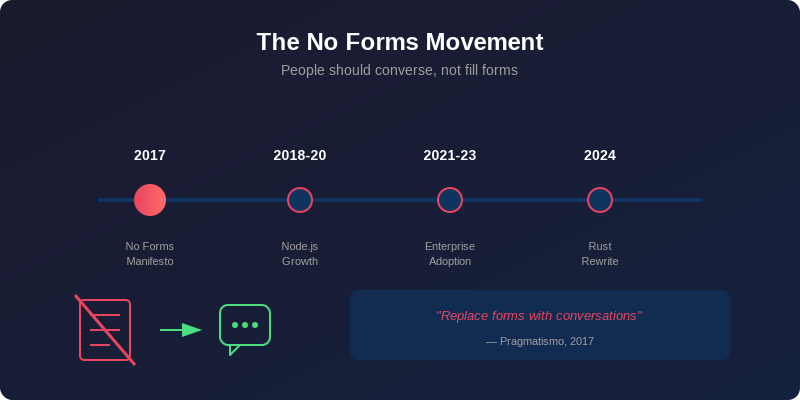
A tool's inputs can be collected in a conversation. The declarations live in the .bas file; the dialog is written by the assistant.
Before: The Form Experience
| Form step | Conversation equivalent |
|---|---|
| Fields with labels | PARAM declarations in a tool |
| Validation rules | The tool's DESCRIPTION and parameter types |
| Submit button | A send action in chat |
After: The Conversation Experience
- Ask for the action in plain words.
- Answer the follow-up questions.
- Read the result in the chat reply.
This is a description of the tool path, not a promise that every product flow is conversational.
Projections, Not Screens
The suite also ships app windows. Use Find an app to see what is actually in the launcher; this page does not claim that screens have been replaced everywhere.
Quick Example
- Add documents to the bot's
.gbkb/folder. - Add a tool to
.gbdialog/withPARAMdeclarations and aDESCRIPTION. - Ask a question in chat.
PARAM topic:string DESCRIPTION "The topic to record"
DESCRIPTION "Records a short note"
TALK "Noted: " + topic
The compiler parses PARAM and DESCRIPTION; see BASIC Basics, the BASIC Scripting chapter and the knowledge base chapter.
What Makes General Bots Different
Just Run It
Run ./botserver and check http://localhost:8080/health. See Installation for the dependency check and Quick Start for the first answer.
Real BASIC, Real Simple
A tool needs a short script and a description. Verified calling forms are in the BASIC keywords page and the generated reference.
Documents = Knowledge
Documents under .gbkb/ supply the content the assistant can use. See KB and TOOL System for the two surfaces.
Tools = Functions
A .bas file declared with PARAM and DESCRIPTION becomes a tool the assistant can call. The tool's source is in the bot's repository or Drive work dir, not in the chat log.
Architecture at a Glance

| Part | Where it lives |
|---|---|
| Server | botserver binary and feature crates under botserver/crates/ |
| UI | botui/ui/ for suite, cloud and login |
| Bot files | Drive prefixes under {org}.gborg/{workspace}.gbai/ |
| Generated reference | Published tables for routes, keywords, apps and schema |
Real-World Use Cases
Customer Support Bot
Provide manuals in .gbkb/ and a tool for the action, such as recording a ticket.
Employee Assistant
Provide policies in .gbkb/ and a tool for the request to be recorded.
Sales Catalog Bot
Provide product documents in .gbkb/ and a tool for a quote.
Meeting Assistant
Provide an agenda in .gbkb/ and a tool for the follow-up action.
These are input combinations. No result is guaranteed by this page.
The Package System
- Create
{bot}.gbot/,{bot}.gbdialog/,{bot}.gbkb/and{bot}.gbdrive/under a workspace prefix. - Put
config.csvandPROMPT-{CHANNEL}.mdin.gbot/. - Put
start.basand tools in.gbdialog/. - Let
drive_monitorregister the bot.
The work/ folder is an internal materialization target. See Packages and Templates.
Getting Started in 3 Steps
1. Install (2 minutes)
Run ./PROD-DEPENDENCIES.sh --check, install what it reports, then run ./botserver. See Installation.
2. Open Browser
Open http://localhost:3000 and select a bot.
3. Start Chatting
Type a short question and press Enter. Continue with Chapter 01.
Core Philosophy
- Verify a claim against source before publishing it.
- Keep bot files in Drive, not in the local
work/folder. - Use the generated tables for exhaustive lists.
- Match the reader to the guide: Lite, Desktop, Admin or Dev.
Technical Highlights
| Area | What the repository uses |
|---|---|
| Language | Rust |
| Database | PostgreSQL with Diesel |
| Cache | Valkey |
| Object storage | OtterIO (S3-compatible) |
| Vector store | Qdrant |
| Secrets | Vault-compatible service |
| Identity | Zitadel |
| Scripts | Rhai-backed BASIC |
| Front end | HTMX in the suite |
Versions are pinned in botserver/3rdparty.toml and the root manifest; this page states none.
A Brief History
Release facts live in the generated What shipped page and in repository issues. This page records no dates or version claims.
What's Next?
- GB Lite guide — first use.
- Desktop guide — apps and daily work.
- Admin guide — servers and channels.
- Developer guide — code and generated reference.
Community
The project is MIT licensed. Use the repository issue tracker for reports and contributions.