CRM 🟡 PREVIEW - Customer Relationship Management
What it is
CRM is the sales workspace: a pipeline of deals plus leads, opportunities, accounts, contacts and quotes.

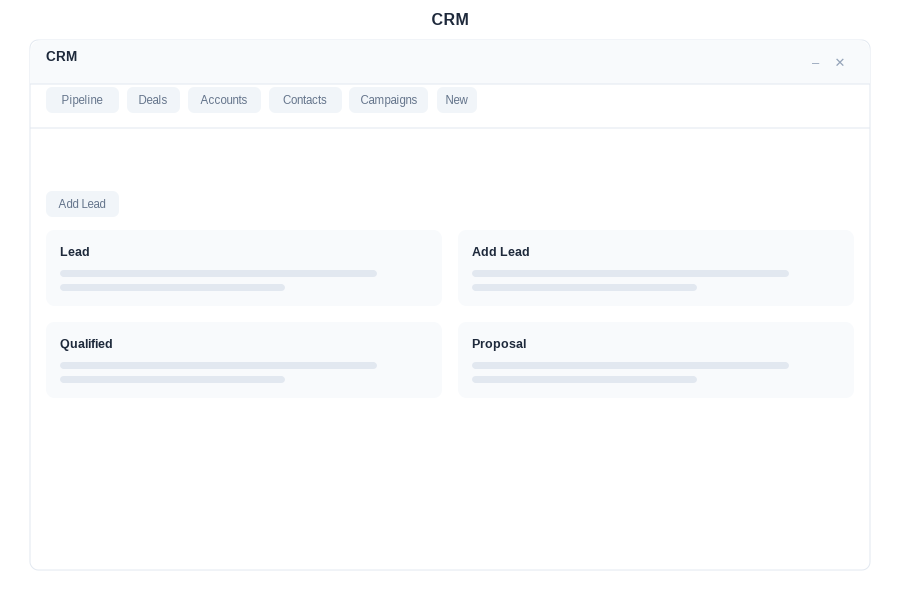
Open it
| Task | Where | Label you will see |
|---|---|---|
| Open the app | Desktop launcher | CRM |
| Switch areas | Tab strip | Pipeline, Deals, Opportunities, Accounts, Contacts, Campaigns, Quotes & Orders, History |
- Click Start, then CRM.
- Choose the area you need from the tab strip.
Do this
| Task | Control | Label you will see |
|---|---|---|
| Move through the pipeline | Stage columns | Lead, Qualified, Proposal, Negotiation, Won, Lost |
| Read pipeline totals | Summary cards | Total Pipeline Value, Conversion Rate, Avg Deal Size, Won This Month |
| Add a deal | Deals tab | New Deal, Title, Contact, Account, Value, Stage, Probability, Expected Close |
| Add a lead or opportunity | Pipeline / Opportunities | Add Lead, New Opportunity |
| Add an account or contact | Accounts / Contacts | New Account, New Contact, Industry, Phone, City, Annual Revenue |
| Filter deals | Status filter | All, New, Qualified, Proposal, Negotiation, Won, Lost |
Limits
- The stage list above is the one shipped in the pipeline; it is not a customisable sales process on this surface.
- The summary cards are computed from the records in the workspace; the page documents no forecast model.