Suite 🟡 PREVIEW - Full Desktop Interface
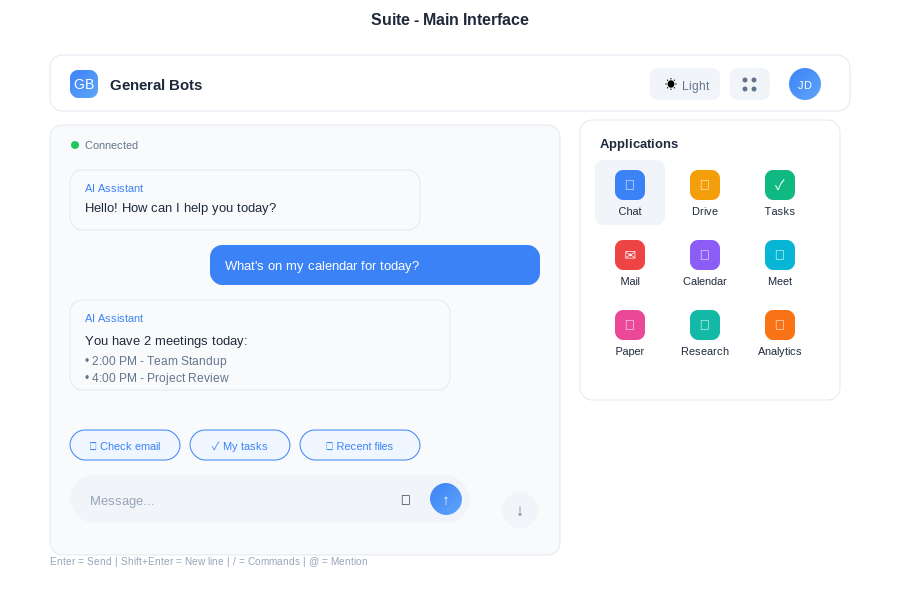

Not a launcher app. This is the suite shell itself, not an app running inside it.
What it is
Suite is the desktop window manager and app rail that hosts the launcher, chat and the other apps.
Open it
The shell is what loads when the desktop starts; it has no tile. Use Start to open an app, and Preview mode to reveal the preview-only tiles. See Find an app.
Do this
| Task | Label you will see |
|---|---|
| Open an app | Start |
| Reveal preview apps | Preview mode |
| Open the main surfaces | Chat, Drive, Tasks |
| Read the shell contract | HTMX architecture |
- Start the desktop shell and open Start.
- Type an app name and select its tile; use Preview mode when the tile is missing.
- Switch between the hosted apps from the rail.
Limits
- The shell is not a catalogue entry, so it has no
AppStatus, owner or launcher visibility of its own. - It hosts the apps; it is not a document, spreadsheet or chat surface by itself.